

Download ORPALIS PDF Reducer Free – Free PDF Compression Tool for Windows, Mac, Android & iOS
Compress PDFs Effortlessly with ORPALIS PDF Reducer Free
In today’s digital world, large PDF files can be a major hurdle—whether you're sending documents via email, uploading them to a website, or storing them on cloud platforms. ORPALIS PDF Reducer Free is a powerful, lightweight software designed specifically to reduce the file size of existing PDFs without compromising visual quality. Unlike traditional methods like ZIP or RAR archiving, this tool directly compresses the PDF content, making it instantly accessible and compatible with any standard PDF reader.
Whether you're a student, professional, or business user, ORPALIS PDF Reducer Free ensures your documents remain secure, readable, and optimized for sharing. The software supports batch processing, allowing users to compress multiple files at once—ideal for managing large volumes of documents efficiently. With a user-friendly interface and minimal system requirements, it runs smoothly on Windows, Mac, Android, and iOS devices.
Best of all, it’s completely free to download and use, with no hidden costs or watermarks. The tool is especially effective for PDFs containing high-resolution images, graphics, or complex layouts, where size reduction is crucial. Users can expect up to 80% file size reduction while maintaining sharp text and clear visuals.
This makes ORPALIS PDF Reducer Free a top choice for anyone seeking a reliable, no-frills solution to manage large PDFs.
Key Features of ORPALIS PDF Reducer Free – What Makes It Stand Out?
ORPALIS PDF Reducer Free offers a suite of intelligent tools tailored for efficient PDF compression. One of its standout features is the ability to reduce file size by up to 80% without noticeable quality loss—perfect for preserving document clarity while cutting down on storage and bandwidth usage. The software supports both single and batch processing, enabling users to compress multiple PDFs simultaneously, which dramatically speeds up workflow for professionals handling large document sets.
It maintains the original formatting, fonts, and embedded elements, ensuring that the output remains fully compatible with all major PDF readers like Adobe Acrobat, Preview, and Chrome. Another significant advantage is its cross-platform compatibility: available for Windows, Mac, Android, and iOS, making it ideal for users who work across multiple devices. The tool also intelligently analyzes content—such as images and vector graphics—and applies optimized compression techniques tailored to each element.
For example, high-resolution images are downscaled using lossy compression, while text and vector data are preserved with minimal impact. Additionally, ORPALIS PDF Reducer Free does not require installation on Windows and Mac, offering a portable version for quick access. The interface is intuitive and distraction-free, allowing even beginners to compress PDFs in just a few clicks.
While the free version provides robust core functionality, advanced editing tools like OCR, password protection, and metadata removal are available in the paid upgrade. Still, the free version delivers exceptional value for basic compression needs.
- Up to 80% file size reduction without quality loss
- Batch processing for multiple PDFs at once
- Preserves text, fonts, and layout integrity
- Supports Windows, Mac, Android, and iOS
- Portable version available (no installation needed)
- Intelligent compression based on content type
- Fast and lightweight with minimal system impact
- Compatible with all standard PDF readers
How to Use ORPALIS PDF Reducer Free – Simple Installation & Step-by-Step Guide
Getting started with ORPALIS PDF Reducer Free is straightforward, whether you're on Windows, Mac, Android, or iOS. For desktop users, visit the official website and download the appropriate version for your operating system. The Windows and Mac versions come in both installer and portable formats—choose the portable option if you prefer not to install software on your device.
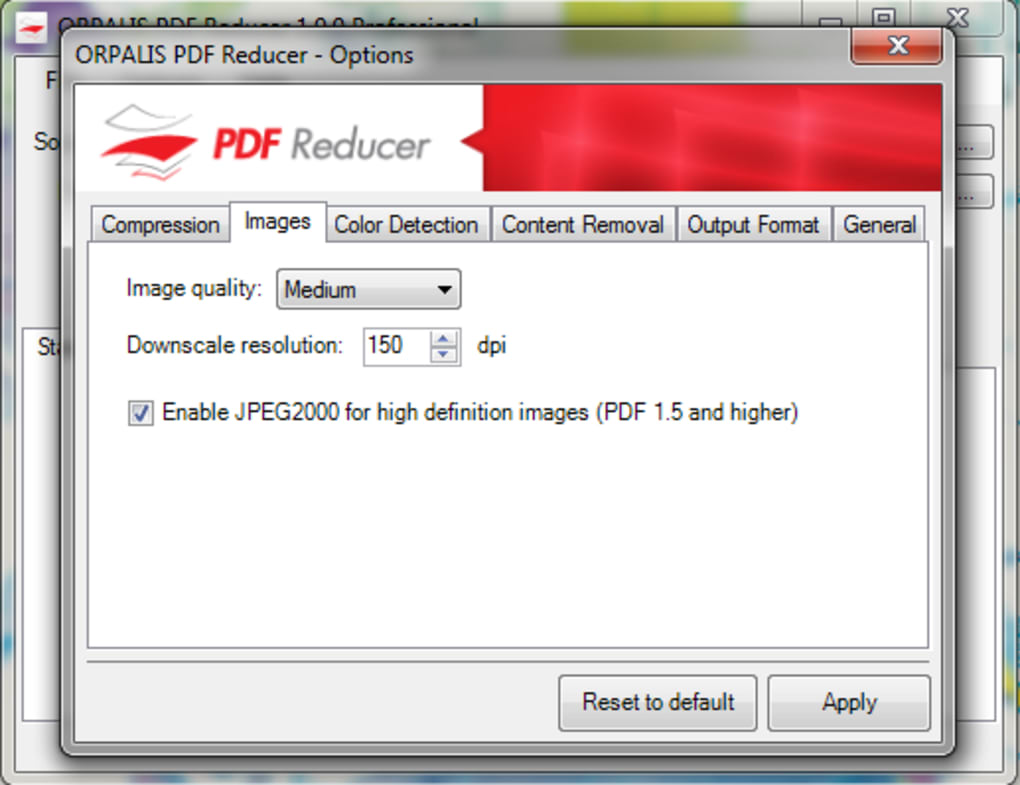
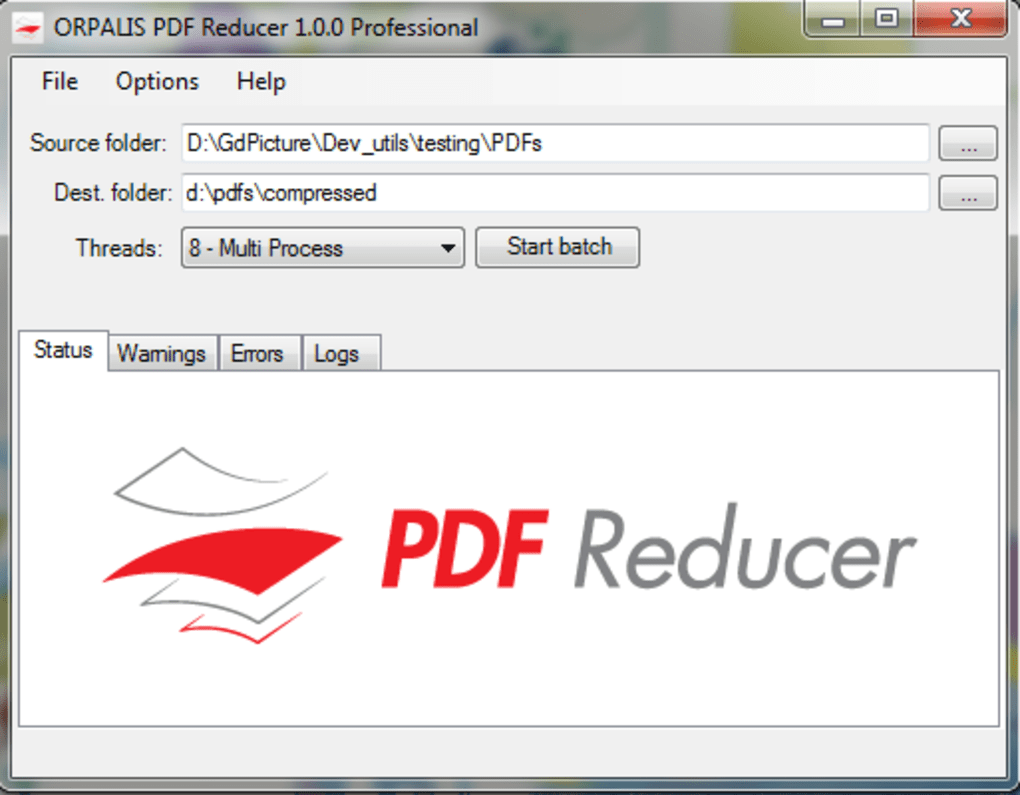
Once downloaded, simply run the executable file to launch the application. The interface is clean and minimal, with a drag-and-drop area where you can drop your PDF files or click to browse your folders. After adding the files, you can adjust compression settings if needed—though the default settings are optimized for most use cases.
Click the “Compress” button, and the software will process each file in the background. You’ll receive a notification once the task is complete, and the compressed PDFs will be saved to your specified folder. For Android and iOS users, download the ORPALIS PDF Reducer app from the Google Play Store or Apple App Store.
The mobile version offers the same core functionality: drag-and-drop or file picker to select your PDF, apply compression, and save the result. The mobile app is particularly useful for on-the-go document optimization. Regular updates are released to improve performance, fix bugs, and enhance compatibility with newer file formats.
The software is secure, with no third-party tracking or data collection—your files remain private and local to your device. No account creation is required, and all processing happens offline. This ensures your sensitive documents are never uploaded to the cloud.
Whether you're compressing a 50-page report or a high-res image-heavy portfolio, ORPALIS PDF Reducer Free delivers consistent, reliable results in seconds.
Pros and Cons – Is ORPALIS PDF Reducer Free Worth It?
Pros
- Free to download and use with no hidden costs
- Reduces PDF size by up to 80% without visible quality loss
- Supports batch processing for efficient bulk compression
- Available for Windows, Mac, Android, and iOS – truly cross-platform
- Portable version available for USB or temporary use
- Fast processing with minimal system resource usage
- Offline operation ensures privacy and data security
- Preserves text, fonts, and layout integrity post-compression
Cons
- Limited to basic compression; advanced editing features require paid upgrade
- No built-in OCR or text recognition in the free version
- Mobile app lacks some desktop-level customization options
- Does not support password protection or encryption in free version
- Occasional need to manually adjust settings for optimal results with complex files
Frequently Asked Questions (FAQ) – ORPALIS PDF Reducer Free
Is ORPALIS PDF Reducer Free really free?
Yes, ORPALIS PDF Reducer Free is completely free to download and use. There are no trial periods, subscription fees, or hidden charges. The free version offers full access to core PDF compression features, making it ideal for personal and light business use. Advanced tools like OCR, password protection, and metadata removal are available in the paid version.
Can I compress multiple PDFs at once?
Absolutely. ORPALIS PDF Reducer Free supports batch processing, allowing you to select and compress multiple PDF files simultaneously. This feature saves significant time when managing large document collections, such as reports, portfolios, or scanned archives.
Does the software reduce image quality?
No, ORPALIS PDF Reducer Free uses intelligent compression algorithms that minimize file size while preserving image clarity and text sharpness. High-resolution images are compressed efficiently without noticeable degradation, especially when compared to other free tools.
Is ORPALIS PDF Reducer Free safe to use?
Yes, the software is secure and privacy-focused. All file processing happens locally on your device—no files are uploaded to the internet. There’s no tracking, no data collection, and no third-party access. Your documents remain private and protected.
Can I use it on my Android or iOS device?
Yes, ORPALIS PDF Reducer Free is available as a mobile app for both Android and iOS. You can download it from the Google Play Store or Apple App Store and compress PDFs directly from your smartphone or tablet—perfect for on-the-go optimization.
Final Verdict: A Must-Have Tool for PDF Optimization
ORPALIS PDF Reducer Free stands out as one of the most reliable and user-friendly PDF compression tools available today. Its ability to shrink file sizes by up to 80% without sacrificing quality makes it a game-changer for anyone dealing with large PDFs. Whether you're preparing documents for email, uploading to websites, or archiving files, this software delivers fast, secure, and efficient results.
The cross-platform support ensures you can use it seamlessly across Windows, Mac, Android, and iOS devices. While the free version lacks advanced editing tools, it offers exceptional value for basic compression needs. For users who prioritize privacy, performance, and ease of use, ORPALIS PDF Reducer Free is a top-tier choice.
If you're looking for a no-cost, no-nonsense way to manage your PDFs, don’t wait—download ORPALIS PDF Reducer Free today and streamline your workflow effortlessly.
Download now and experience fast, secure, and free PDF compression on any device.







